Setting Up Suprata for a Marine Service Company
Marine service is a hybrid business. You do service work — engines, hulls, electronics, systems — and you often rent slips, mooring, or dry storage to the boats you service. The two sides of the business are deeply intertwined: the customer's boat lives in your slip and you're working on it.
That hybrid is exactly what Suprata was designed for. The reservations subsystem handles the slip / storage rental; the jobs/service subsystem handles the work. They link through the customer (account) and often through the asset (the boat itself).
This guide walks through the hybrid setup. If you're a pure marina (no service work), use Setting up Suprata for a marina. If you're a pure service company (no slips), use Setting up Suprata for a service business. This article is for the boatyard in between.
The two halves and how they connect
Customer Account
   │
   ├── Boat (a service-tracked asset)
   │     │
   │     └── Service jobs (engine repair, etc.)
   │
   └── Slip / Storage (reservation asset)
         │
         └── Reservations / billing schedule
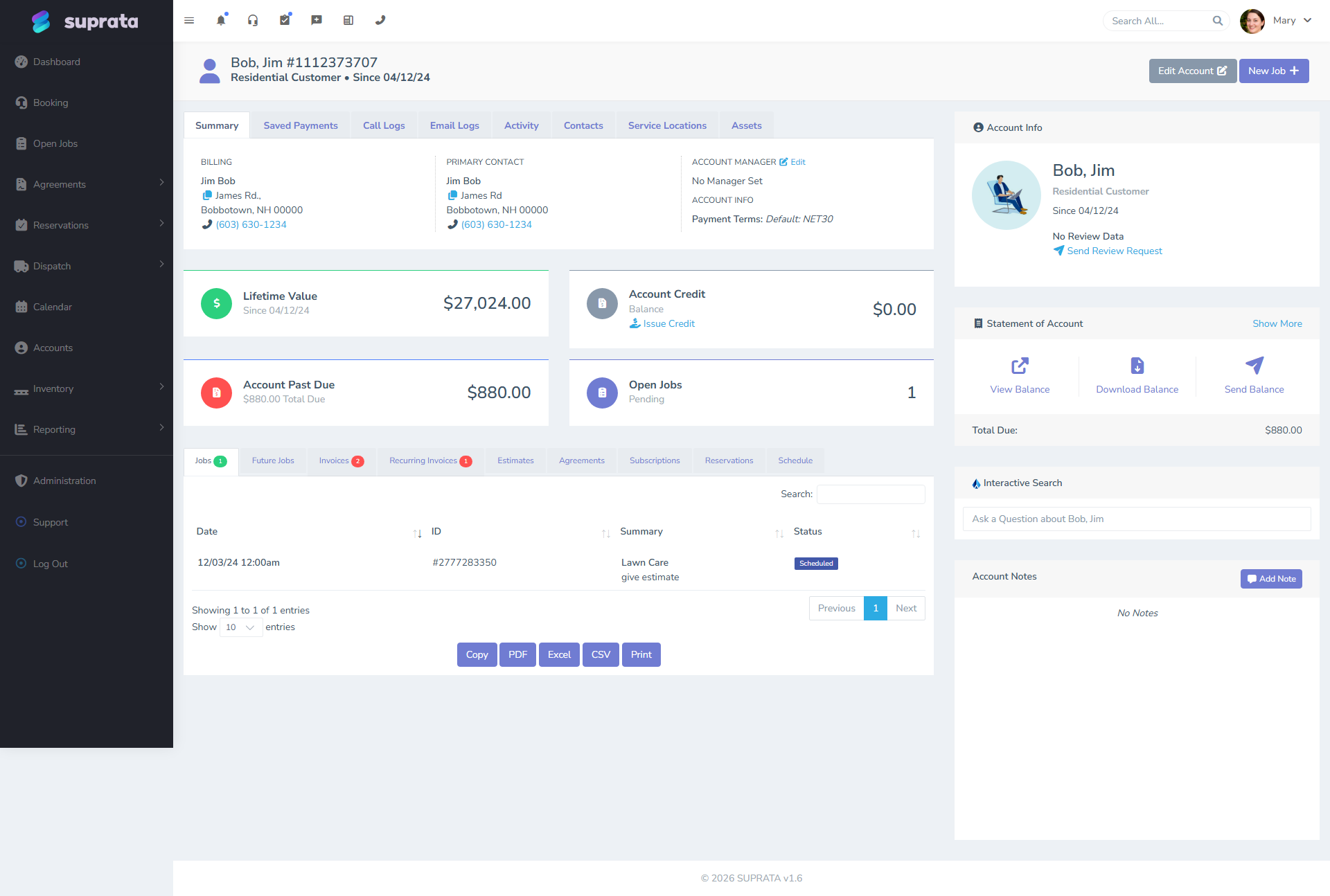
The customer is one. They have a boat, which is a service-tracked asset. They also rent a slip from you, which is a reservation. Service jobs happen on the boat; rental billing happens on the slip.
Setup ordering
You can do these in either order, but most boatyards find it easier to:
- Set up the service side first (week 1). It's faster, simpler, and gets you billing service work right away.
- Add the reservations side after (weeks 2–4). The reservations subsystem is more involved and you don't want to be learning two new things at once.
If you've never used Suprata before, this incremental path is much less overwhelming than trying to bring up everything at once.
Week 1 — Service side
Follow Setting up Suprata for a service business with marine-specific tweaks:
Job types
- Service Call — diagnostic visits.
- Engine Service — outboard/inboard work.
- Bottom Job — annual hull paint, antifouling.
- Electrical — boat electrical repair.
- Electronics Install — chartplotters, radios, fishfinders.
- Rigging — sailboat work.
- Haul-Out — pulling the boat out of the water.
- Launch — putting it back in.
- Survey — inspection visits.
- Warranty Repair.
Marine-specific industry forms
The seeded marine forms cover boat intake (boat name, length, beam, hull type, engine specs) and condition tracking. Configure these to attach to relevant job types so techs capture boat info structurally rather than as freeform notes.
Pricelist priorities for marine
- Yard labor rates (often differ for haul-out crew, mechanics, riggers).
- Haul-out fee (per foot, often).
- Storage fees (if you also do dry storage outside the reservations system — but if you do, consider modeling them as reservations instead).
- Common parts: zinc anodes, oil, filters, impellers, hoses, sealants.
- Bottom paint by quart/gallon.
Week 2 — Customer accounts and boats
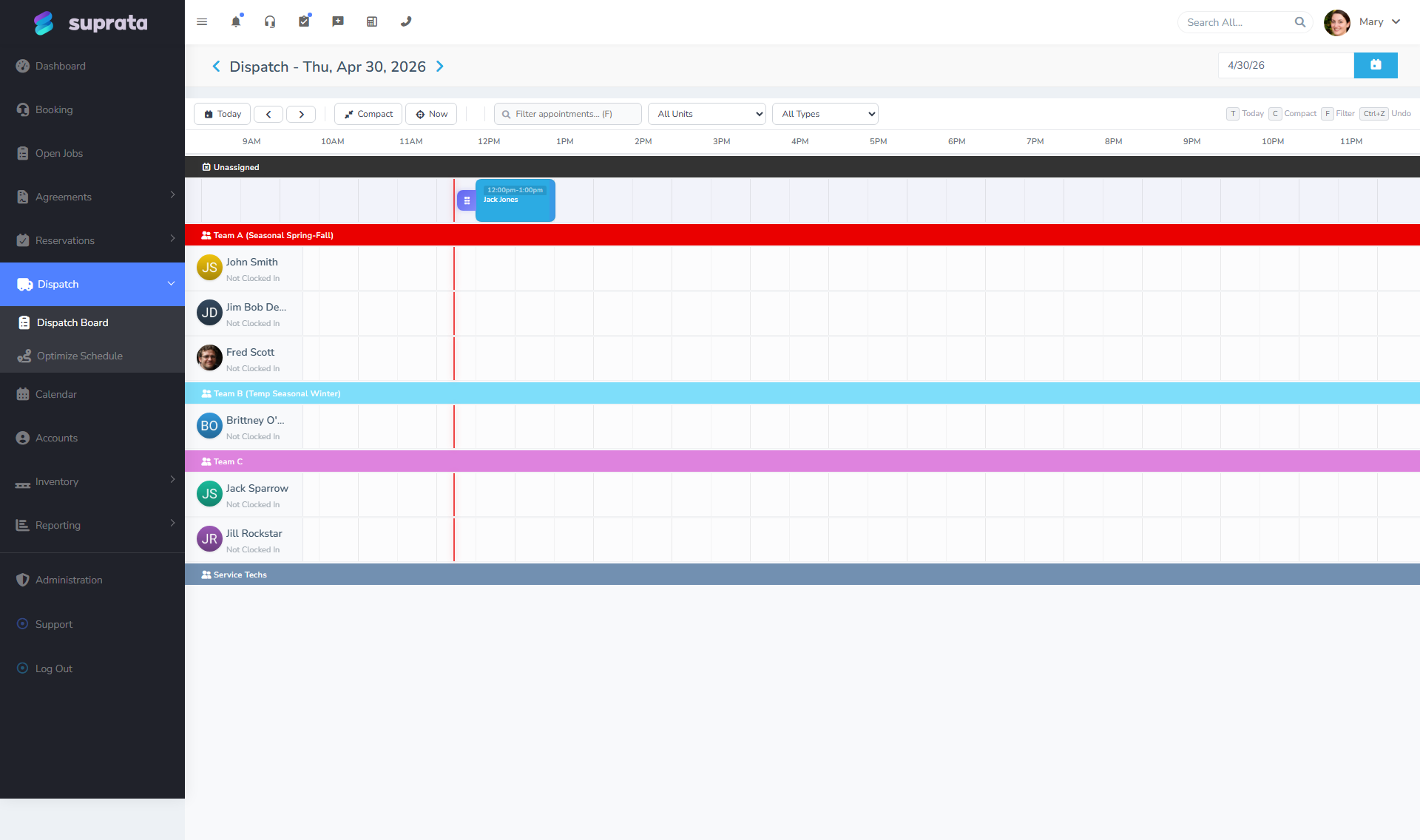
Marine customers have a particular shape: one customer, one (or sometimes more) boats, the boat being where most of the data lives.
Treat each boat as a service asset
For every customer's boat, create a Boat record on the customer's account. Capture:
- Name and hull number.
- Length, beam, draft.
- Make, model, year.
- Hull material.
- Engine make/model/year.
- Documentation status (Coast Guard, state).
- Insurance carrier and policy number (and expiry).
This becomes the anchor for service history. Every job done on this boat links to it. Three years later, you can answer "what did we do on Bob's boat in 2023?" by looking at the boat record.
Multiple boats per customer
Some customers have a fleet. The system handles this: one account, multiple Boat records linked to it. Service jobs link to the specific boat they're on.
Weeks 3–4 — Reservations side (slips and storage)
If you rent slips, mooring, or dry storage, follow Setting up Suprata for a marina — most of it applies directly.
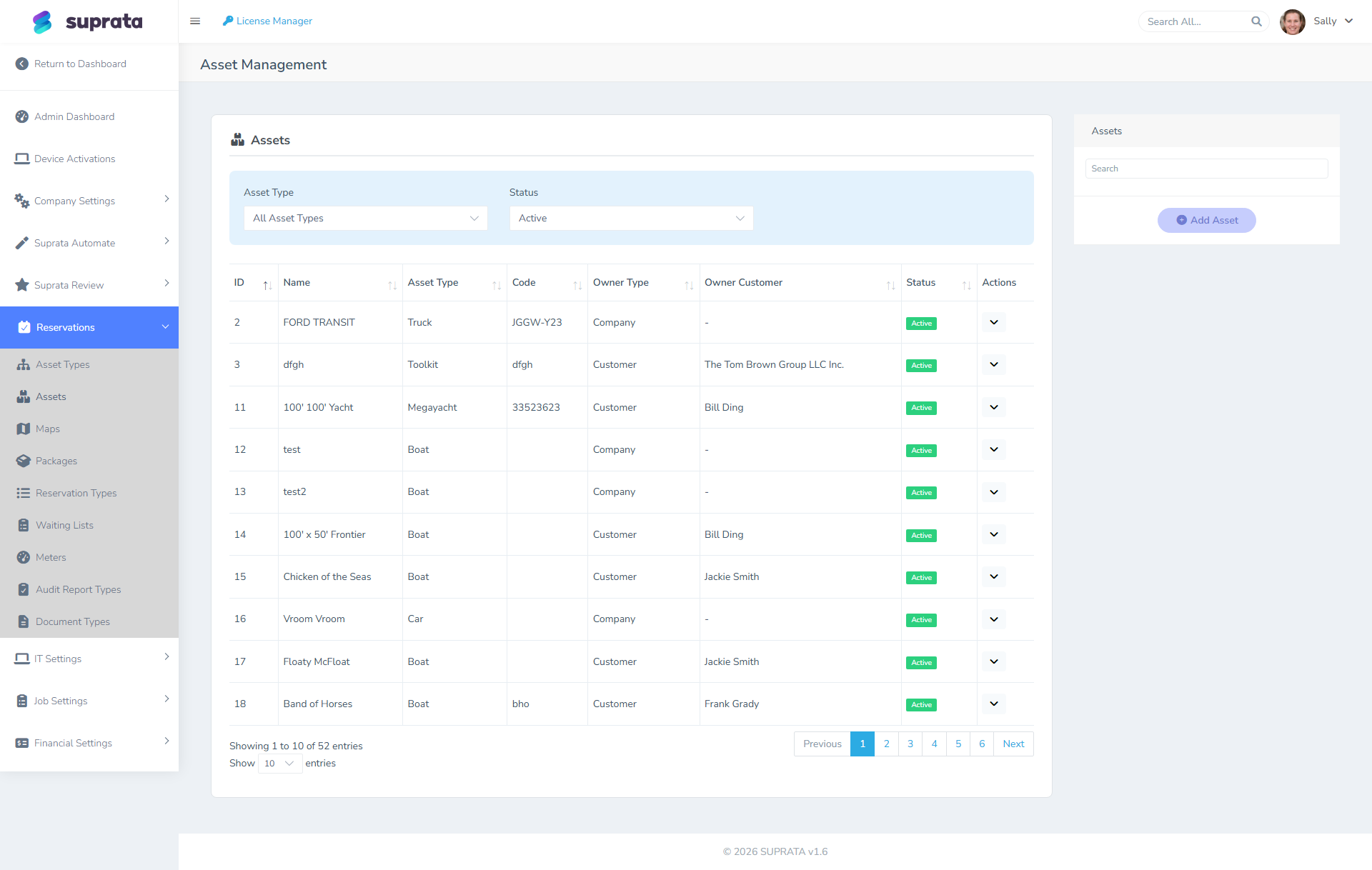
Slip and storage assets
Each rentable thing is an asset:
- Each slip in the water.
- Each spot in dry storage (covered or uncovered).
- Each indoor heated storage bay.
- Each mooring ball.
Linking the boat to the slip
When a customer rents a slip, their boat occupies it. The reservation knows the customer; the customer's boat record exists separately. You can capture which boat is in which slip on the reservation, which gives you:
- "What boat is in slip A-12 right now?"
- "When did this boat arrive?"
- "Is this boat's insurance current?"
Billing flow with both halves
A typical month for a long-stay customer:
- Slip rent auto-bills on the 1st (reservation system).
- Electric metered also at settlement.
- Service work done during the month creates jobs and invoices (service system).
- The customer gets potentially two invoices in a month — one for slip/electric, one for service work.
You can configure things so the slip and service invoices consolidate, or you can keep them separate. Most boatyards keep them separate so the customer sees clearly what's recurring (slip rent) and what's one-time (the engine repair).
Linking jobs to reservation assets
When a tech does work on a boat, the job is on the customer (account). If you also want it linked to the slip the boat is in, configure that — it lets you ask "how much service work originates from boats in A Dock vs. B Dock?", which can drive staffing and pricing decisions.
Year-round vs. seasonal patterns
In northern climates, boatyards often have heavy seasonal patterns:
- Spring: launch, commissioning, pre-season service. Tons of work, slips fill up.
- Summer: mid-season service calls, dockside repairs, electronics.
- Fall: haul-out, winterizing, decommissioning.
- Winter: indoor storage, major projects (engine overhauls, refits).
Set up service agreement templates for the recurring work:
- Spring commissioning — annual, fires April or May.
- Fall winterizing — annual, fires October or November.
These auto-generate jobs at the right time, ensuring nothing falls through the cracks for your regulars.
Documents — boats need lots
Marine has heavy document requirements:
- Insurance certificate with the marina/boatyard listed as additional insured.
- State registration or USCG documentation.
- Hurricane plan in some regions.
- Survey for older boats or insurance compliance.
Set these up as required documents per asset type (per slip type, per dry-storage type) on the reservations side. Suprata will email customers automatically as documents approach their expiration dates.
Audit walks for the marina side
Even if you're more of a service company than a marina, audit walks pay off:
- Insurance currency check.
- Boat is where it's supposed to be.
- No abandoned boats.
- No obvious damage / no water in the boat after a storm.
A weekly walk takes a couple of hours and catches problems early. Configure as in the marina setup.
Common mistakes
Modeling slips as service-asset equipment instead of reservation assets. They're rentable, they have availability, they have packages. Use the reservations subsystem.
Modeling boats as reservation assets. The boat is the customer's, not yours. It's a service-tracked asset on the customer's account. The slip is yours; that's the reservation asset.
Trying to bill slip rent through service jobs. Don't create a "monthly slip rent" job that recurs. The reservations side handles recurring slip billing automatically. Trying to use jobs for the recurring rental creates duplicates and confusion.
Mixing service work and rental on a single invoice. While technically possible, it confuses customers. The slip rent line item next to the engine repair line item makes the bill harder to understand. Separate.
Not tracking boat insurance expiries. A boat without current insurance is a liability for the boatyard. Make insurance documents required, configure expiry alerts, and follow up.
Treating spring commissioning and fall winterizing as one-off jobs every year. Set them up as service agreement schedule ticks. Then they auto-create at the right time and you don't have a March panic of "wait, who do we need to commission?".
Letting the boat's service history get attached to the wrong account when ownership changes. When a boat is sold to a new owner, the boat record should follow the boat, but tied to the new account. Don't just rename the old account — that orphans the old owner's history.