Three Automations Most Businesses Want on Day One
Once you've used Suprata for a few weeks and have a feel for it, there are three automations almost every service business should build first. They are mechanical, repeatable, low-risk, and pay back the time investment within the first month. Get these right and you've captured the bulk of what automation can do for your business; everything else is incremental.
This article walks through each one — the trigger, the action, the cadence, and what to put in the message. The order matters: appointment confirmations first because they cut no-shows, past-due nudges second because they put cash in your bank, post-job follow-up third because it generates reviews and repeat business.
When you'd use this article
- You're past your first month of using Suprata, and you're ready to start automating.
- You've read the automation overview and the trigger and action vocabulary.
- You want a starting set of automations to copy, adapt, and run.
If you haven't done your first month manually yet, stop and do that first. Automating processes you don't yet understand is how you build wrong automations.
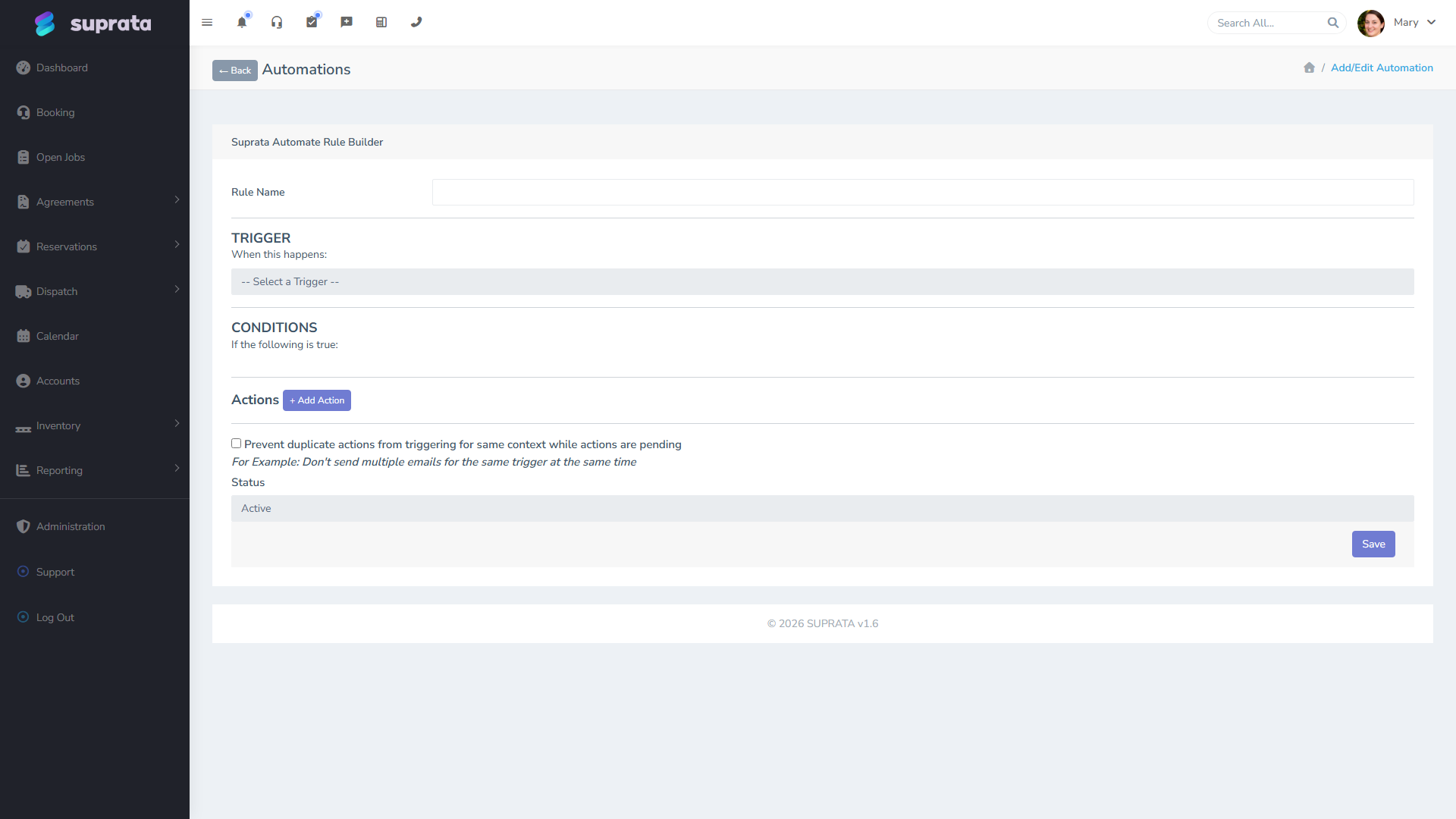
1. Appointment confirmation (24 hours before)
Why this matters: every no-show costs you a tech-hour, a slot you can't fill at the last minute, and customer goodwill (because the customer usually just forgot — they didn't choose to skip). A 24-hour reminder cuts no-shows dramatically.
Trigger: time-before trigger, 24 hours before scheduled appointment time.
Conditions: only for jobs in the "Scheduled" status (don't remind people about appointments that already moved to In Progress or got cancelled). Optional second condition: only for appointments more than 24 hours in the future at booking time, to skip same-day bookings where the reminder would arrive after the visit.
Actions: send email + send SMS. The SMS is the one most customers will actually read; the email backs it up for customers who don't text.
Message guidance:
- Subject and SMS opening should include the date and time. ("Reminder: Your appointment is tomorrow at 2:00 PM.") Customers scan; they need the headline.
- Include the technician's name if you have one assigned, the address you're coming to (so they can correct it if you have it wrong), and a phone number to call to reschedule.
- Include a one-tap reply for "yes, I'll be there" and "I need to reschedule." Both reduce day-of confusion.
- Don't bury the punchline in three paragraphs of branding.
What to watch: when you first turn this on, watch the queue for a few days. Some customers will reply to the SMS — make sure inbound replies are routed to whoever handles scheduling. A reminder that no one reads the responses to is worse than no reminder.
2. Past-due nudge (at 7 days, then 14, then 21)
Why this matters: most unpaid invoices don't go unpaid because the customer refuses — they go unpaid because the customer forgot. A polite reminder a week after the due date is enough to get a lot of those paid. Three reminders, escalating in tone, get most of the rest squared away before the invoice ages into aging-report territory.
Trigger: time-since trigger — invoice unpaid 7 days past due (and 14, and 21, as separate rules).
Conditions: invoice status is open, not voided, not on a payment plan, balance > $0. Customer has email opted-in. Optional: only for accounts not flagged as "in dispute" — disputed invoices need different handling.
Actions: send email. (SMS for past-due nudges is divisive; some customers find it pushy. Start with email and only add SMS if the email cadence isn't working.)
Cadence and tone:
- Day 7: friendly. "Just a quick reminder — your invoice from [date] for $X is now a few days past due. Did this slip through? Here's the link to pay." Treat it as a courtesy.
- Day 14: more direct. "Your invoice for $X is now two weeks past due. We'd appreciate hearing from you if there's a question — otherwise please get this paid." Still polite, but the tone has shifted from "did you forget" to "we noticed."
- Day 21: explicit. "Your account is now three weeks past due. We need this resolved by [date] or we'll need to pause new work." Don't apologize and don't soften. Customers who've ignored two prior reminders need clarity.
After day 21, the aging report takes over and a human picks up the phone. Don't try to automate past 21 days — at that point you need judgment, not a templated email.
What to watch: if most customers pay within a few days of the day-7 reminder, you've got the tone right. If you're not seeing much movement, the message may be too soft, the pay link may be buried, or your customer base may need a slightly earlier nudge — try 5 days instead. Adjust and watch the next cycle.
3. Post-job follow-up (next morning)
Why this matters: the day after a good job is when the customer is most willing to do something nice for you. They're happy with the work and they remember it clearly. That's when you ask for a review, mention your referral program, or remind them about service agreements. Wait three weeks and the moment is gone.
Trigger: job status changed to "Complete" (or your equivalent finalized status).
Conditions: only for jobs that closed without issues. (If you have a "complete with issues" or "follow-up needed" sub-status, exclude those — they need a human, not a templated thank-you.) Optional: only for first-time customers, or only for repeat customers — a different message for each works better than one generic one.
Action: wait 12–18 hours (so the message arrives the morning after, not five minutes after the tech leaves), then send email.
Message guidance:
- Lead with thanks for the business — short, personal-feeling.
- Include one clear ask: a link to leave a Google review, a way to refer a friend, or a reminder about an upcoming service. Google reviews are usually the most useful ask for a service business.
- Pick one ask per email. Customers will skip a message that asks for three things; they'll do one.
- Sign it from the owner or whoever the customer would actually expect to hear from, not "the team."
What to watch: review counts and referral mentions over the first month. If you're not seeing new reviews come in, the email isn't landing — re-read it as a customer would and check whether the ask is too soft or buried.
What about the rest?
These three are the foundation. Other common automations once you have these humming:
- Internal alerts on high-value jobs — manager gets a notification when a job is created above a threshold.
- Welcome email on new account — friendly intro plus a link to your portal.
- Renewal outreach for service agreements — 30 and 60 days before expiration.
- Tech-on-the-way SMS — when status changes to In Progress.
- Auto-send invoice on close — invoice closes, email goes to customer.
Build these incrementally. Don't roll out six new automations in the same week — if something goes wrong, you won't know which one caused it.
Common mistakes
- Turning all three on the same day without piloting. Pilot each one for a week before turning it on for everyone. A bad automation that hits every customer at once is much harder to live down than a slow rollout.
- Using the same email template for all three asks. Different stages call for different tone. A single template that says "thanks for your business and please pay your invoice and please leave a review" sounds desperate; three focused templates each do one job.
- Sending the post-job follow-up the same minute the job closes. Customers feel surveilled. Wait until the next morning.
- Letting the past-due cadence run forever. After 21 days, switch to manual collections. Day-28 templated email is when customers stop reading.
- Not turning these off when you go on vacation. Past-due nudges sent while you're not reachable to answer questions cause friction. Have a way to pause them.
- Forgetting to build the templates before turning the rules on. Each automation references a template; if the template is missing or empty, you'll send blank emails. Build the template, send a test to yourself, then enable the rule.