Handling Deposits
A deposit is money you collect to hold the booking — separate from the payment for the actual stay. Treat the two as distinct things and most deposit confusion vanishes; mash them together and you'll have arguments with customers about what they paid for.
Suprata tracks deposits, payments, and the balance owed as three separate things, and there's a compliance dashboard that flags any reservation where the deposit isn't where your policy says it should be.
When you'd use this
Pretty much every reservation business uses deposits in some form:
- Marinas: A deposit equal to one month's rent for monthly tenants; one night for transient.
- RV parks / campgrounds: First night's rate as the booking deposit, balance due on arrival.
- Storage: Sometimes a refundable damage deposit; sometimes none at all.
- Cabin / cottage rentals: A larger deposit (often 50%) for high-season weekends or holidays.
- Equipment rental: A damage deposit on the credit card that's released after return.
If you don't currently take deposits and you rent to transient guests, start now. Deposits cut no-shows way down and give you something to point to when a customer disputes a cancellation policy.
The mental model: three different things
These three are easy to mix up. Keep them straight:
Deposit
Money collected up front to hold the booking. It's typically:
- Charged at booking time, often via Stripe.
- Refundable under your cancellation policy (e.g., refundable up to 14 days before arrival, partial refund up to 7 days, non-refundable inside 7 days).
- Applied against the final stay total at checkout, or refunded after the stay if no damages.
Payment
Money received against the balance owed for the stay itself. Could be:
- The deposit being applied at checkout.
- Additional charges for nights stayed, utility usage, add-ons, late fees.
- Recurring monthly payments for long-term tenants.
Balance
What's currently owed on the reservation. Calculated as:
balance = total charges − total payments − applied deposit
A positive balance means the customer owes you. Zero means current. Negative means you owe a refund.
Suprata tracks all three independently and reconciles them when a settlement runs or the customer checks out.
Deposit-vs-payment-vs-balance: the timing diagram
For a typical 3-night $375 booking with a $100 deposit:
| Event | Deposit held | Payments | Balance owed |
|---|---|---|---|
| Booking confirmed (deposit charged) | $100 | $0 | $375 |
| Customer arrives, pays $275 cash | $100 | $275 | $0 (after deposit applied) |
| Customer departs, no damages | $0 (applied) | $375 | $0 |
For a damage-deposit pattern (e.g., equipment rental, $200 damage hold):
| Event | Deposit held | Payments | Balance owed |
|---|---|---|---|
| Booking confirmed, deposit pre-auth | $200 (held) | $0 | $50 (rental fee) |
| Customer pays rental fee | $200 (held) | $50 | $0 |
| Customer returns equipment, no damage | $0 (released) | $50 | $0 |
| (Alternate) Damage found, $75 charge | $0 (applied) | $50 + $75 from deposit | $0 |
Decide which pattern matches your business and document it. Don't mix patterns within one asset type — staff will get confused, customers will get confused, and your compliance dashboard becomes useless.
How the deposit amount is calculated
You set the deposit rule on the reservation type (under Deposits & Proration), and it has three moving parts. Get these right once per type and every booking inherits them.
1. Fixed dollars or a percentage. A fixed deposit is a flat number ($500 damage hold, regardless of stay). A percent deposit is a percentage of a base — and the base is the interesting part.
2. What the deposit is based on. Two choices:
-
Whole reservation (prorated stay) — the classic. The base is the full cost of the stay from check-in to check-out. Good for fixed-length bookings: "20% of a one-month stay."
-
Fixed duration of included items — the base is a set amount of time regardless of how long the stay actually is. This is the one you want for:
- Open-ended stays with no end date. "Two months' worth" still computes, because it never looks at the (missing) end date.
- Stays that mix billing schedules. If a slip has a weekly fee and a nightly fee, "2 months" normalizes both to the same window and adds them up.
You pick the number and the unit — e.g. 2 months, 6 weeks, 30 nights. Duration is counted as calendar time from the reservation's start date. To take exactly two months of rent as the deposit, set the basis to a fixed duration of 2 months and the amount to 100%.
3. Which line items count. Every item and add-on in a package has a "Count toward deposit" checkbox (see Building a package). By default, recurring stay charges count and one-time fees don't — so a deposit based on "2 months of the nightly slip charge" can exclude the electric service and the welcome-basket add-on. Turn the checkbox off for anything that shouldn't inflate the deposit.
A worked example
A 40-ft boat books an open-ended monthly slip:
- Slip rate: $5/ft per night → frozen at qty 40 = $200/night, counts toward deposit.
- Electric: metered → does not count.
- Welcome basket: $75 one-time → does not count.
- Deposit rule: fixed duration, 2 months, 100%.
Required deposit = $200/night across two calendar months ≈ $12,000 — the slip charge only. Because the quantity (40 ft) is locked at booking, that number is stable even though there's no end date.
When you raise your rates
Here's the part that saves you money. Quantities freeze at booking, but rates don't. If you raise that slip's nightly rate later, existing tenants keep paying their grandfathered rate — but the deposit they should be holding is recalculated at the new rate. The compliance dashboard catches the shortfall so you can collect the difference (after your usual notice period). You don't have to hunt for under-deposited reservations by hand.
Refund timing — the honest answer
When a customer cancels, the question is: do they get the deposit back, and when?
This is policy first, software second. Suprata will hold and refund whatever you tell it to; it can't decide your policy for you. Make the decision yourself, in advance, in writing. Then the software just enforces it. The decisions you need to make:
- The hard cancel window. Inside this window (e.g., 7 days before arrival), the deposit is non-refundable. Period. No exceptions for "I had to work."
- The partial-refund window. Between the hard window and a softer one (e.g., 7–14 days out), the customer gets a partial refund (often 50%).
- The full-refund window. Outside the soft window (more than 14 days out), full refund.
Recommended starting policy if you don't have one:
- Transient bookings (1–7 nights): Full refund up to 14 days; 50% up to 48 hours; non-refundable inside 48 hours.
- Weekly bookings: Full refund up to 30 days; 50% up to 14 days; non-refundable inside 14 days.
- Monthly long-stay bookings: Full refund up to 60 days; 50% up to 30 days; non-refundable inside 30 days.
- Holiday weekends: Stricter — non-refundable inside 30 days regardless of stay length.
Once you've decided, publish it on your booking page and stick to it. Customers respect a clear policy. They lose respect when staff make ad-hoc exceptions because it's awkward to say no.
Deposit compliance — what the dashboard does
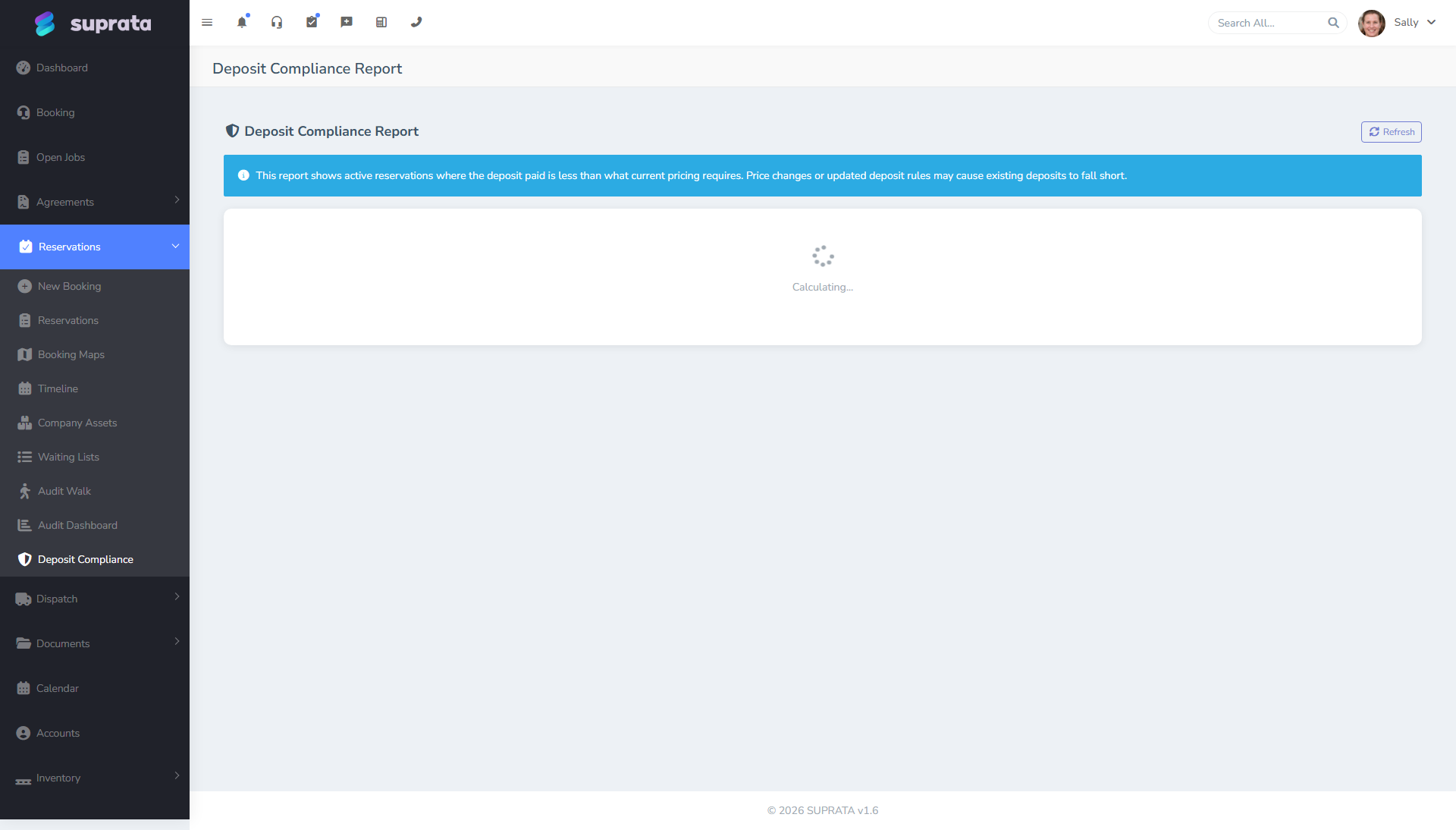
The deposit compliance screen surfaces reservations where the deposit isn't where policy says it should be:
- A booking exists but no deposit was collected.
- The deposit was collected but is for the wrong amount.
- The required deposit grew because you raised a package's rate — the held deposit is now short of what current pricing calls for. The dashboard re-rates against the current package price (using the booking's frozen quantities) and flags the gap, with a one-click Bill the difference to add the shortfall to the master invoice.
- The deposit window expired and the deposit hasn't been applied or refunded.
- A reservation has a manual override on its deposit rules — flagged for visibility (mark one "reviewed" to take it off the list, with a note).
Make a habit of reviewing this dashboard weekly. Discrepancies caught early are easy fixes; discrepancies caught at month-end settlement become arguments with the customer.
Recommended defaults
- Always charge a deposit at booking for transient and short-term inventory. Empty deposit handling is the #1 source of no-shows.
- Set the deposit rule on the reservation type, not per-reservation, so every booking inherits it consistently.
- For open-ended or long-term inventory, use the fixed-duration basis (e.g. 2 months) and exclude metered/one-time lines with the "Count toward deposit" checkbox. Don't try to base an open-ended deposit on "the whole stay" — there's no end date to measure.
- Use Stripe (or USIO) for deposit holds, not cash or check. The audit trail and refund flow are vastly cleaner.
- Refund within 5 business days of when policy says you owe it. Slow refunds cause chargebacks.
- Publish your cancellation policy on the public booking page and in confirmation emails. The clearer the policy, the fewer disputes.
Common mistakes
- Conflating deposit with first-night rent. They're different things even if the dollar amount happens to match. Track them separately or you'll mis-state revenue at month-end.
- Refunding from a different payment method than the customer used. Always refund to the original card. Don't issue a check for a Stripe charge — chargebacks become impossible to defend.
- Saying "I'll refund you next week" and not following through. This is the single most common deposit complaint. Set a rule: deposits are processed within 5 business days of cancellation, no exceptions.
- Ignoring the deposit compliance dashboard. Discrepancies compound. A reservation that's missing a deposit today becomes an argument at checkout.
- Letting staff override deposit rules without a note. You can't audit what you can't see. Require a note ("VIP customer, deposit waived per manager approval") for every override.
- Mixing deposit patterns within one asset type. "Sometimes we charge a deposit, sometimes we don't" makes both staff and customers confused. Pick a pattern per type and stick to it.