Handling tax-exempt customers
A meaningful share of B2B revenue is exempt from sales tax — resellers, government agencies, nonprofits with valid certificates, manufacturers buying for production. Set their accounts up correctly and the right tax (or no tax) shows up on every invoice automatically; set them up wrong and you'll either over-collect and have to refund, or under-collect and be on the hook to the state during an audit.
This article covers the three mechanisms Suprata gives you for exempt treatment, when each is appropriate, and the certificate-tracking process that keeps your audit trail clean.
When this applies
- A customer holds a valid resale certificate — they buy from you to resell to their own customers.
- A customer is a government entity with statutory exemption.
- A customer is a 501(c)(3) nonprofit in a state that exempts them and they have a current exemption letter.
- A customer is a manufacturer buying components that become part of their finished product.
- A customer has an occasional one-off exempt transaction (e.g., shipping out of state to a non-nexus jurisdiction) but is otherwise taxable.
Each of these scenarios is real, common, and handled slightly differently.
The three mechanisms, ranked
Suprata gives you three places exemption can live, in increasing order of specificity:
- An "Exempt" tax category with no rate rows attached. Items tagged with this category charge zero tax regardless of customer. Useful for items that are always tax-exempt (e.g., labor in a labor-non-taxable state).
- A customer-account default tax category override. The account is tagged "always Exempt"; every invoice for that customer defaults all lines to the exempt category. Useful for resellers and government — the customer themselves is exempt, regardless of what they're buying.
- A per-invoice or per-line override at billing time. A specific line on a specific invoice gets switched to exempt. Useful for one-off exemptions on an otherwise taxable customer.
Most exempt-customer scenarios use mechanism 2 (account-level default). Mechanisms 1 and 3 are supporting tools.
Setting up the "Exempt" category
You need a tax category that is genuinely exempt — not "low-rate", not "blank", but explicitly tied to no tax tables. Without this, mechanism 2 has nowhere to point.
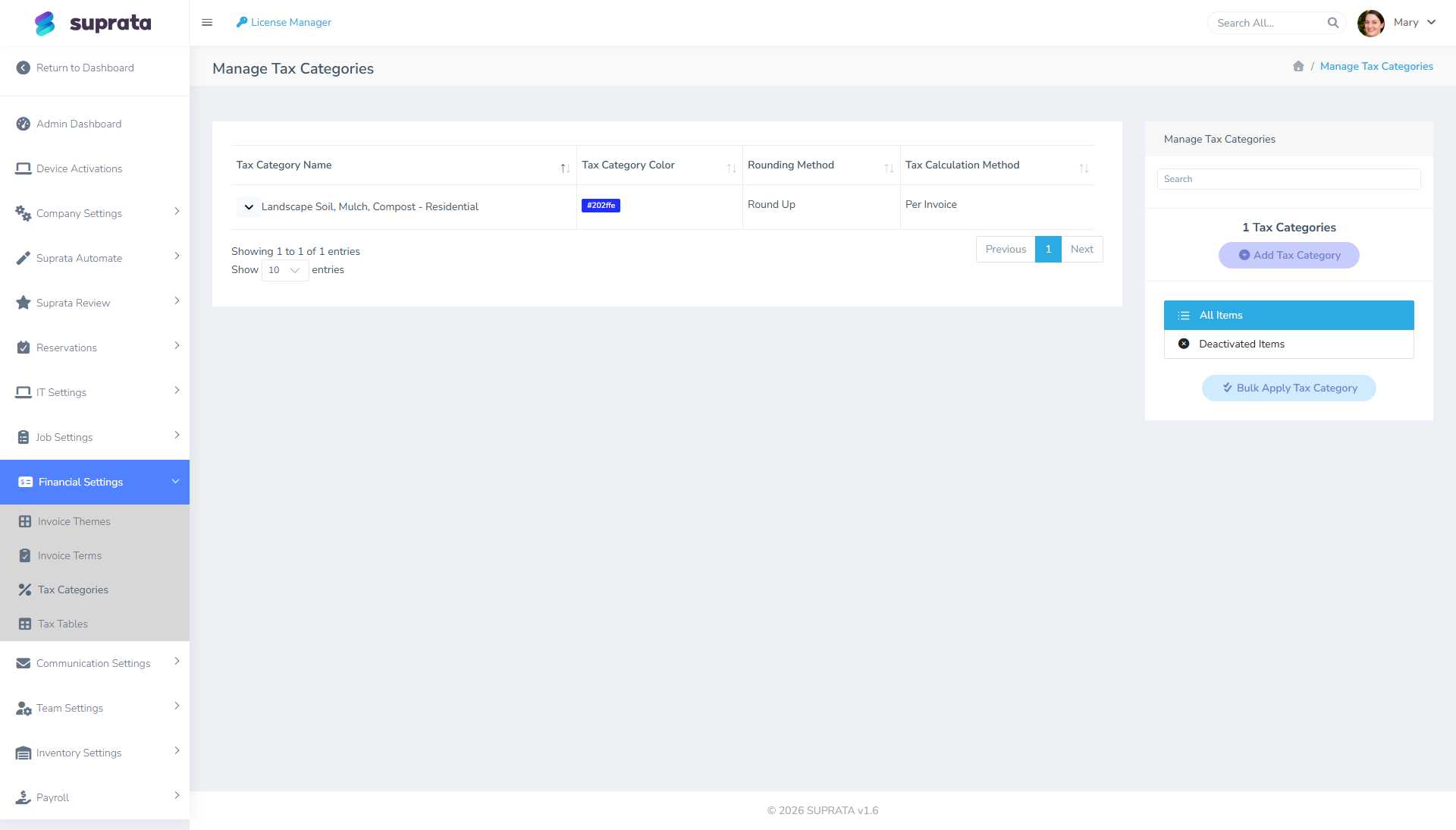
In the Tax Categories screen, create a category named Exempt (or "Sales Tax Exempt"). Pick a distinct color (red or gray are common) so exempt lines visually pop on invoices. Save.
Do not add any rows for this category in the Tax Tables screen. The fact that no rates are attached to it is exactly what makes Exempt items charge zero tax. If you later see a tax amount on an Exempt line, the most likely cause is that someone added a rate row for this category — remove it.
For a deeper walk through tax setup, see Setting up tax tables in detail.
Mechanism 2: per-customer default override
This is the workhorse. Once an exempt customer's account is set to default to the Exempt category, every line on every invoice for them comes out at zero tax.
Open the customer's account record. Find the field that sets their default tax category — typically labeled "Tax Category" or "Default Tax" on the account record. Set it to Exempt. Save.
Now create a fresh invoice for this customer. New lines pulled from the pricelist still carry the item's default category at the moment they're added — but the invoice has an account-level default that overrides. The exact override behavior is: the customer's default category fills in for any line that doesn't explicitly carry a different one, and exempt customers should typically get all their lines defaulting to Exempt.
Verify on the test invoice. Pull two or three lines that would normally tax (parts, equipment, anything). Confirm tax shows $0.00 across the invoice. If anything is taxing, the customer-level override didn't catch — open the offending line, switch it to Exempt manually, and check the account record again to make sure the default is set.
Mechanism 3: one-off line-level overrides
Sometimes a normally-taxable customer has one transaction that's exempt — they're buying a part that will be shipped out of state, or they handed you a single-use exemption certificate for one job. You don't want to flip their whole account to Exempt; you just want this one invoice (or one line) to charge zero tax.
On the invoice line itself, change the tax category dropdown from whatever the item's default is to Exempt. Save the invoice; the line will show $0.00 tax automatically.
For a whole invoice — change every line's category, or set the invoice-level default tax category if your invoice screen exposes that field. Either approach works.
Document the reason. Add a note on the invoice (in the description, the internal notes field, or both) explaining why this transaction is exempt and the certificate number / ship-to state / other justification. Audit trails that say "Exempt" with no explanation are worse than no exemption at all.
Exemption certificates — the process
The software won't track certificates for you, but the audit-defense practice does. Maintain a paper or digital folder of every exempt customer's documentation:
- Resale customers: a current resale certificate from the customer, signed by them, with their state tax ID.
- Government: a purchase order on government letterhead, or a copy of the entity's exemption letter.
- Nonprofits: the exemption letter from the state's revenue department (not the IRS 501(c)(3) determination — those are different things in many states).
- Manufacturers: a manufacturer's exemption certificate.
Store these somewhere your bookkeeper can find them at audit. The Documents subsystem in Suprata is one option — attach the certificate to the customer's account so it's together with their record. A shared drive or filing cabinet works equally well as long as it's organized.
Set certificate expiration reminders. Exemption certificates expire (annually in some states, every few years in others). When they expire, the customer is no longer exempt until they give you a fresh certificate. Charging them tax-free on an expired certificate puts the tax liability on you. Set a calendar reminder one month before each known expiration.
What the audit trail should look like
For every exempt invoice, an auditor walking your books should be able to see:
- The customer is on file with the Exempt tax category set.
- There is a certificate on file for that customer (in your documents area).
- The certificate was current as of the invoice date.
- The invoice's tax breakdown shows $0.00 with the Exempt category visible on each line.
If any of those four are missing, you have an audit gap — and at the rates state revenue departments assess back-tax-plus-penalty, gaps are expensive.
Common mistakes
- Treating "no tax category" as the same as "exempt". A line with no category set may still pick up the customer-level default or fall back to a general-taxable behavior. Always tag exempt lines explicitly with the Exempt category — don't leave the field blank.
- Setting the customer-level default but never verifying it works. A test invoice for the customer is the only way to know the override is reaching all the lines. Run one before sending real invoices.
- Storing certificates in email. Email is searchable until the certificate isn't, and inboxes don't survive turnover. Put the documents somewhere persistent and indexed by customer.
- Letting an expired certificate roll forward. If the customer's certificate lapsed in March and you kept billing them tax-free through July, you owe the tax on those four months — not them. Track expirations.
- Granting exemption based on a verbal claim. "We're a nonprofit" is not a certificate. Don't waive tax on a claim alone — get the document, file it, and reference it from the invoice's notes.
- Confusing "exempt from this state's tax" with "exempt from all tax". A customer with a resale certificate in Florida is exempt from Florida sales tax, not from any other state's. If you ship to a different state, the rules change. Multi-state taxability is a separate, larger topic — when in doubt, consult your accountant.
- Forgetting that some items are exempt regardless of customer. Labor in some states is non-taxable for everyone; food items in others are non-taxable for everyone. Those belong in their own non-Exempt category (e.g., "Labor — Non-Taxable") rather than getting overridden per-line. Use the right mechanism for each pattern.
Related articles
- How tax categories work in invoicing
- Setting up tax tables in detail
- Picking the right tax category strategy
- Documents and certificate storage (forthcoming)